Mbps что это значит? (про Gbps тоже напишу). О битах, байтах и скорости интернет соединения Мбит в секунду
Сегодня интернет нужен в каждом доме не меньше чем вода или свет. И в каждом городе есть масса компаний или небольших фирм, которые могут предоставить людям доступ к интернету.
Пользователь может выбрать любой пакет для пользования интернетом от максимального 100 Мбит/с до небольшой скорости например 512 кбайт/с. Как же выбрать для себя подходящую скорость и правильного провайдера интернета?
Конечно же скорость интернета нужно выбирать исходя из того, что вы делаете в сети и как много вы готовы отдать в месяц за доступ в интернет. По своему опыту хочу сказать, что скорость 15 Мбит/с вполне устраивает меня как человека, который работает в сети. Работая в интернете, у меня включено 2 браузера, и в каждом открыто по 20-30 вкладок, при этом проблемы возникают больше со стороны компьютера (для работы с большим количеством вкладок нужно много оперативной памяти и мощный процессор) нежели со стороны скорости интернета. Единственный момент когда приходится немного подождать - это момент первого запуска браузера, когда подгружаются одновременно все вкладки, но обычно это занимает не более минуты.
1. Что обозначают значения скорости интернета
Многие пользователи путают значения скорости интернета думая что 15Мб/с - это 15 мегабайт в секунду. На самом деле 15Мб/с - это 15 мегабит в секунду, а это в 8 раз меньше мегабайтов и на выходе мы получим около 2 мегабайт скорость загрузки файлов и страниц. Если вы обычно скачиваете фильмы для просмотра размером 1500 Мб, то со скоростью 15 Мбит/с фильм будет загружаться 12-13 минут.
Смотрим много или мало вашей скорости интернета
- Скорость равна 512 кбит/с 512 / 8 = 64 кБ/с (этой скорости мало для просмотра онлайн видео);
- Скорость равна 4 Мбит/с 4 / 8 = 0,5 МБ/с или 512 кБ/с (этой скорости достаточно для просмотра онлайн видео в качестве до 480р);
- Скорость равна 6 Мбит/с 6 / 8 = 0,75 МБ/с (этой скорости достаточно для просмотра онлайн видео в качестве до 720р);
- Скорость равна 16 Мбит/с 16 / 8 = 2 МБ/с (этой скорости достаточно для просмотра онлайн видео в качестве вплоть до 2К);
- Скорость равна 30 Мбит/с 30 / 8 = 3,75 МБ/с (этой скорости достаточно для просмотра онлайн видео в качестве вплоть до 4К);
- Скорость равна 60 Мбит/с 60 / 8 = 7,5 МБ/с (этой скорости достаточно для просмотра онлайн видео в любом качестве);
- Скорость равна 70 Мбит/с 60 / 8 = 8,75 МБ/с (этой скорости достаточно для просмотра онлайн видео в любом качестве);
- Скорость равна 100 Мбит/с 100 / 8 = 12,5 МБ/с (этой скорости достаточно для просмотра онлайн видео в любом качестве).
Многие подключая интернет переживают о возможности просмотра онлайн видео, посмотрим какой нужен трафик фильмам с различным качеством.
2. Скорость интернета необходимая для просмотра онлайн-видео
А здесь вы узнаете много или мало вашей скорости для просмотра онлайн видео с разными форматами качества.
| Тип трансляции | Битрейт видео | Битрейт аудио (стерео) | Трафик Мб/с (мегабайт в сек.) |
| Ultra HD 4K | 25-40 Мбит/c | 384 кбит/с | от 2,6 |
| 1440p (2К) | 10 Мбит/c | 384 кбит/с | 1,2935 |
| 1080p | 8000 кбит/с | 384 кбит/с | 1,0435 |
| 720p | 5000 кбит/с | 384 кбит/с | 0,6685 |
| 480p | 2500 кбит/с | 128 кбит/с | 0,3285 |
| 360p | 1000 кбит/с | 128 кбит/с | 0,141 |
Мы видим что все самые популярные форматы без проблем воспроизводятся скоростью интернета в 15 Мбит/с. А вот для просмотра видео в формате 2160p (4К) нужно уже не менее 50-60 Мбит/с. но есть одно НО. Не думаю что многие серверы смогут раздавать видео такого качества поддерживая такую скорость, так что подключив интернет в 100 Мбит/с можно так и не посмотреть онлайн видео в 4К.
3. Скорость интернета для онлайн игр
Подключая домашний интернет, каждый геймер хочет быть уверен на 100% в том, что его скорости интернета будет достаточно для того, чтобы играть в свою любимую игру. Но как оказывается, онлайн-игры совсем не требовательны к скорости интернета. Рассмотрим какую же скорость требуют популярные онлайн игры:
- DOTA 2 - 512 кбит/сек.
- World of Warcraft - 512 кбит/сек.
- GTA online - 512 кбит/сек.
- World of Tanks (WoT) - 256-512 кбит/сек.
- Panzar - 512 кбит/сек.
- Counter Strike - 256-512 кбит/сек.
Важно! На качество работы вашей игры онлайн больше зависит не скорость интернета, а качество самого канала. Например если вы (или ваш провайдер) получаете интернет через спутник, то каким бы пакетом вы не пользовались пинг в игре будет значительно больше, нежели у проводного канала с меньшей скоростью.
4. Для чего нужен интернет более 30 Мбит/сек.
В исключительных случаях я мог бы порекомендовать использовать более быструю связь 50 Мбит/с и более. Не многие смогут обеспечить такую скорость в полном объеме, компания «Интернет в дом» не первый год на этом рынке и вполне вселяет доверие, тем более немаловажным является стабильность связи, и хочется верить что тут они на высоте. Большая скорость интернет соединения может быть необходима при работе с большими объемами данных (загрузка и выгрузка их из сети). Возможно вы любитель просматривать фильмы в замечательном качестве, либо ежедневно скачиваете большие по объему игры, либо загружаете в интернет видео или рабочие файлы больших объемов. Для проверки скорости связи можно использовать различные онлайн сервисы, а для оптимизации работы нужно выполнить .
Кстати, скорость 3 Мбита/с и ниже, обычно делает работу в сети немного неприятной, не все сайты с онлайн видео работают хорошо, да и загрузка файлов вообще не радует.
Как бы там ни было сегодня на рынке интернет услуг есть из чего выбрать. Иногда, кроме глобальных провайдеров, интернет предлагают местечковые фирмочки, и частенько уровень их сервиса оказывается тоже на высоте. Стоимость услуг в таких фирмах конечно значительно ниже нежели у крупных компаний, но как правило покрытие у таких фирм совсем незначительное, обычно в рамках района или двух.
Length and Distance Converter Mass Converter Dry Volume and Common Cooking Measurements Area Converter Volume and Common Cooking Measurement Converter Temperature Converter Pressure, Stress, Young’s Modulus Converter Energy and Work Converter Power Converter Force Converter Time Converter Linear Speed and Velocity Converter Angle Converter Fuel Efficiency, Fuel Consumption and Fuel Economy Converter Numbers Converter Converter of Units of Information and Data Storage Currency Exchange Rates Women’s Clothing and Shoe Sizes Men’s Clothing and Shoe Sizes Angular Velocity and Rotational Frequency Converter Acceleration Converter Angular Acceleration Converter Density Converter Specific Volume Converter Moment of Inertia Converter Moment of Force Converter Torque Converter Specific Energy, Heat of Combustion (per Mass) Converter Specific energy, Heat of Combustion (per Volume) Converter Temperature Interval Converter Coefficient of Thermal Expansion Converter Thermal Resistance Converter Thermal Conductivity Converter Specific Heat Capacity Converter Heat Density, Fire Load Density Heat Flux Density Converter Heat Transfer Coefficient Converter Volumetric Flow Rate Converter Mass Flow Rate Converter Molar Flow Rate Converter Mass Flux Converter Molar Concentration Converter Mass Concentration in a Solution Converter Dynamic (Absolute) Viscosity Converter Kinematic Viscosity Converter Surface Tension Converter Permeation, Permeance, Water Vapour Permeability Converter Moisture Vapor Transmission Rate Converter Sound Level Converter Microphone Sensitivity Converter Sound Pressure Level (SPL) Converter Sound Pressure Level Converter With Selectable Reference Pressure Luminance Converter Luminous Intensity Converter Illuminance Converter Digital Image Resolution Converter Frequency and Wavelength Converter Optical Power (Diopter) to Focal Length Converter Optical Power (Diopter) to Magnification (X) Converter Electric Charge Converter Linear Charge Density Converter Surface Charge Density Converter Volume Charge Density Converter Electric Current Converter Linear Current Density Converter Surface Current Density Converter Electric Field Strength Converter Electric Potential and Voltage Converter Electrical Resistance Converter Electrical Resistivity Converter Electrical Conductance Converter Electrical Conductivity Converter Capacitance Converter Inductance Converter American Wire Gauge Converter Conversion of Levels in dBm, dBV, Watts and Other Units Magnetomotive Force Converter Magnetic Field Strength Converter Magnetic Flux Converter Magnetic Flux Density Converter Radiation Absorbed Dose Rate, Total Ionizing Radiation Dose Rate Converter Radioactivity. Radioactive Decay Converter Radiation Exposure Converter Radiation. Absorbed Dose Converter Metric Prefixes Converter Data Transmission Converter Converter of Typography and Digital Imaging Units Lumber Volume Measures Converter Molar Mass Calculator Periodic Table
1 kibibit/second = 0.0009765625 mebibit/second
From:
To:
bit/second byte/second kilobit/second (SI def.) kilobyte/second (SI def.) kibibit/second kibibyte/second megabit/second (SI def.) megabyte/second (SI def.) mebibit/second mebibyte/second gigabit/second (SI def.) gigabyte/second (SI def.) gibibit/second gibibyte/second terabit/second (SI def.) terabyte/second (SI def.) tebibit/second tebibyte/second ethernet ethernet (fast) ethernet (gigabit) OC1 OC3 OC12 OC24 OC48 OC192 OC768 ISDN (single channel) ISDN (dual channel) modem (110) modem (300) modem (1200) modem (2400) modem (9600) modem (14.4k) modem (28.8k) modem (33.6k) modem (56k) SCSI (Async) SCSI (Sync) SCSI (Fast) SCSI (Fast Ultra) SCSI (Fast Wide) SCSI (Fast Ultra Wide) SCSI (Ultra-2) SCSI (Ultra-3) SCSI (LVD Ultra80) SCSI (LVD Ultra160) IDE (PIO mode 0) IDE (PIO mode 1) IDE (PIO mode 2) IDE (PIO mode 3) IDE (PIO mode 4) IDE (DMA mode 0) IDE (DMA mode 1) IDE (DMA mode 2) IDE (UDMA mode 0) IDE (UDMA mode 1) IDE (UDMA mode 2) IDE (UDMA mode 3) IDE (UDMA mode 4) IDE (UDMA-33) IDE (UDMA-66) USB 1.X FireWire 400 (IEEE 1394-1995) T0 (payload) T0 (B8ZS payload) T1 (signal) T1 (payload) T1Z (payload) T1C (signal) T1C (payload) T2 (signal) T3 (signal) T3 (payload) T3Z (payload) T4 (signal) Virtual Tributary 1 (signal) Virtual Tributary 1 (payload) Virtual Tributary 2 (signal) Virtual Tributary 2 (payload) Virtual Tributary 6 (signal) Virtual Tributary 6 (payload) STS1 (signal) STS1 (payload) STS3 (signal) STS3 (payload) STS3c (signal) STS3c (payload) STS12 (signal) STS24 (signal) STS48 (signal) STS192 (signal) STM-1 (signal) STM-4 (signal) STM-16 (signal) STM-64 (signal) USB 2.X USB 3.0 USB 3.1 FireWire 800 (IEEE 1394b-2002) FireWire S1600 and S3200 (IEEE 1394-2008)
More about Data Transmission
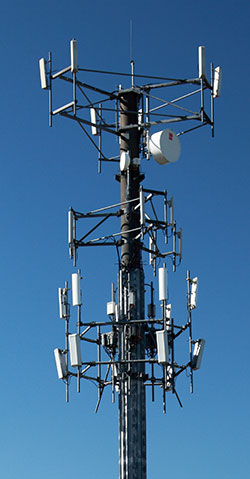
Overview
Data exists in digital and analog format and transmission can happen for both types through digital and analog channels. If both the data and the transmission method are analog, then this is analog data transmission, but if at least one or both are digital, then the data transmission is digital. This article focuses on the digital data transmission. Today more and more digital data is created and transmitted because it allows for fast and secure exchange of information. Digital data has no weight, thus the only weight associated with using digital data is often that of the transmitting device and the receiving or reading device. Using digital data simplifies the information backup process, does not contribute to weight when moving or traveling, compared to non-digital forms of data, such as books versus text files. Digital data transmission, storage, and processing makes it easier to work with data virtually anywhere in the world because it can be stored in a location that can be accessible by multiple people as long as they have Internet connection. People can also modify this data and work collaboratively on the same document by using remote computing described below, or by working with data shared online, for example with the files shared on Google Docs, or on articles in Wikipedia. This is why data transmission is so important. The recent trend to go paperless to decrease one’s carbon footprint is also making digital data transfer popular. In fact, some believe that at the moment this is a marketing ploy, because the digital footprint may, in fact, be very similar for working with printed media. This is because energy is required for running the services to support digital data, and often this energy is produced from unsustainable sources, such as fossil fuels. However, it is the hope of many that we will soon develop technology that is ecologically efficient for working with digital data, compared to the pre-digital era. In everyday life people are choosing e-readers and tablets in favor of printed media, while large organizations make environmental statements when they keep all of their documentation in digital format and transmit data electronically instead of physically moving paper. As discussed above, this may be simply a marketing strategy at the moment, but nonetheless in part because of this strategy more and more companies are working on digitizing much of their data flow.

In many cases users need to take only minimal steps to ensure data transmission, and only in some situations direct involvement of the user is required, for example when sending emails. This is why it is convenient for the users, although much of the work happens “behind the scenes” in companies and organizations that manage data transmission. For example, to ensure fast Internet connectivity, and hence - fast data transmission between continents, a network of cables was and is still being laid along the ocean floor. It is also known as submarine cable. It connects most coastal countries. These cables cross all of the oceans multiple times, connecting countries through the seas and the straits. Laying and maintaining the cable is just one of the examples of the work “behind the scenes” - it ranges from the work that Internet service and hosting providers do, to the maintenance of servers in data centers, to the local work of website administrators who provide data transfer services to their users, like posting information, exchanging email, downloading files, etc.
To transmit data, several conditions have to be met: data has to be encoded, there needs to be a transmission channel as well as a transmitter and receiver, and communication protocols must be in place.


Encoding and Sampling
Data has to be encoded in such a way that the receiving party can read it. Sampling is another term used for data conversion. Generally data is encoded using the binary system, which means that each unit of information is represented as either a 1 or a 0. It is then transmitted as electromagnetic signals.
Often the analog data is converted to digital to be transmitted. For example analog phone calls that originated from a land line or a cellular phone may be converted to digital signals and sent via the Internet to the recipient. During this conversion the Kotelnikov Theorem, also known as the Nyquist-Shannon Sampling Theorem in English , is used. It can be summarized to point out that when converting analog signal to digital, so that it can be transmitted via a digital channel without loss of quality, the signal must not contain any frequencies higher than the half of the selected sampling rate.
Encoding could be secure to ensure that third parties besides the intended receiver cannot decode it if this data is intercepted. Secure encryption protocols are used for this purpose.
Transmission Channel, Transmitter, and Receiver
A transmission channel creates a medium for transmitting the data. Transmitters and receivers are devices that send and receive the data respectively. The transmitter consists of a modem that codes information and any device that transmits electromagnetic waves, from an incandescent lamp that was used to transmit Morse code, to lasers, to LEDs. A receiver that can detect the electromagnetic signal that the transmitter sent is also necessary. Some examples of receivers include photodiodes, photoresistors, and photomultipliers that detect light, or radio receivers that can detect radio waves. Some of these devices can only work with analog data.
Communication Protocols
Communication protocols are similar to a language in that they facilitate communication during all steps of the transfer of data. They also allow to identify and solve errors. One of the commonly used protocols is the Transmission Control Protocol, or TCP.
Applications
Digital data transmission is paramount in computing because without it using computers would not be possible. Below are some interesting examples of what data transmission enables the users to do.

IP Telephony
IP telephony or voice over IP (VoIP) technology is becoming a popular alternative to communication by phone via the telephone network. This form of data transmission uses the Internet. Some of the biggest providers are Skype and Google Talk. LINE is a newer product that is gaining popularity in Japan and globally. Many of the current providers allow free audio and video calls between computers or smartphones, and charge for other services such as conference calling or computer to landline or cellular phone calls through the telephone network.
Thin Client Computing
Data transmission allows organizations to simplify their computing solutions. Some organizations have multiple computers set up for internal use but for some of them only very simple features are required. These computers are connected to the server, which does some of the work for them - they are called client computers or clients in this case. In this setup thin client computing is often used. The client computers have very basic features, for example some workstations may provide only Internet access, some may allow the use of the library catalog, others yet may support simple applications such as data entry, for example to track sales. These clients with basic features are called thin clients, hence the term, thin client computing. The user of a thin client works with a screen and an input device such as a keyboard. The thin client sends user requests and data to the remote server, where all the necessary computing is done. In essence, the thin client is a device that allows the user at the client site to access the server remotely without having to process significant amounts of data or run software at the client site.
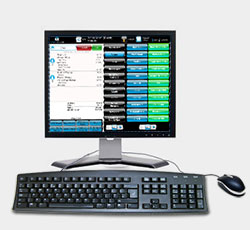
In some cases client sites use thin client hardware, while in other situations regular computers or sometimes tablets are employed. User interface needs to be processed locally by the thin client, but the rest of the processing is done on the server. In contrast with thin clients, regular computers that process data locally are sometimes called fat clients.
Thin client computing is convenient because it is cheap to install additional clients - most of them do not require expensive memory, processing devices, and software. Thin clients also allow minimizing security vulnerabilities, because the only vulnerable unit in this setup is the server. Hard drives and CPUs work well only within a certain temperature range, and they cannot tolerate some hazards in the environment such as dust and humidity. When thin clients are used, the environment needs to be carefully controlled only in the server room. Clients can work outside of these temperature ranges and in more hazardous environments, as long as they do not have local processing and storage capabilities, and as long as the display and the input devices have higher tolerance to hazardous environments, which they usually do.
Thin clients may not work well when frequent updates of the graphic user interface are needed, such as when working with video and gaming. If the server stops working, all of the clients will be disabled until they are connected to a working server. Despite these drawbacks, thin clients are gaining popularity because of their benefits.
Remote Computing
Remote computing is similar to thin client computing in that the client computes access the server and often can manipulate the data and run software on the server. The difference is that a client that accesses the server is usually a fat client, that is, a regular computer. Thin clients usually work on the same local network as the server, while remote computing happens between the server and the client outside of the local network, often over the Internet. Remote computing has many applications. For example it allows people to work remotely while still having access to their company or home server. Companies can connect through remote computing to remote offices, where they outsource some of their activities, such as customer support. Remote computing allows for secure access, to prevent unauthorized people from using the servers, although security is sometimes a concern.
Do you have difficulty translating a measurement unit into another language? Help is available! Post your question in TCTerms and you will get an answer from experienced technical translators in minutes.
В сегодняшней статье мы займемся измерением информации. Все картинки, звуки и видео ролики, которые мы с вами видим на экранах мониторов, представляют собой не более чем цифры. И эти цифры можно измерить, и, сейчас, вы научитесь переводить мегабиты в мегабайты и мегабайты в гигабайты.
Если вам важно знать, сколько в 1 гб мб или сколько в 1 мб кб, то эта статья для вас. Чаще всего такие данные нужны программистам, оценивающим занимаемый их программами объем, но, иногда, не мешает и рядовым пользователям для оценки размера скачиваемых или хранимых данных.
Если вкратце, то достаточно знать это:
1 байт = 8 бит
1 килобайт = 1024 байта
1 мегабайт = 1024 килобайта
1 гигабайт = 1024 мегабайта
1 терабайт = 1024 гигабайта
Общепринятые сокращения: килобайт=кб, мегабайт=мб, гигабайт=гб.
Недавно я получил вопрос от моего читателя: «Что больше кб или мб?». Надеюсь, теперь, ответ на него знает каждый.
Единицы измерения информации в подробностях
В информационно мире применяется не привычная для нас, десятеричная система измерения, а двоичная. Это значит, что одна цифра может принимать значение не от 0 до 9, а от 0 до 1.
Простейшей единицей измерения информации является 1 бит, он может быть равен 0 или 1. Но эта величина очень мала для современного объема данных, поэтому используют биты редко. Чаще применяют байты, 1 байт равен 8 бит и может принимать значение от 0 до 15 (шестнадцатеричная система исчисления). Правда вместо чисел 10-15 применяются буквы от А до F.
Но и эти объемы данных невелики, поэтому применяются привычные всем приставки кило- (тысяча), мега-(миллион), гига-(миллиард).
Стоит отметить, что в инфомире, килобайт равен не 1000 байт, а 1024. И если вы хотите узнать, сколько килобайт в мегабайте, то вы тоже получите число 1024. На вопрос, сколько мегабайт в гигабайте вы услышите тот же ответ – 1024.
Определяется это также особенностью двоичной системы исчисления. Если, при использовании десятков, каждый новый разряд мы получаем умножением на 10 (1, 10, 100, 1000 и т.д.), то в двоичной системе новый разряд появляется после умножения на 2.
Это выглядит вот так:
2, 4, 8, 16, 32, 64, 128, 256, 512, 1024
Число, состоящее из 10 цифр двоичной системы, может иметь всего лишь 1024 значения. Это больше чем 1000, но ближе всего к привычной приставке кило-. Аналогичным образом применяются и мега- и гига и тера-.
Здравствуйте, дорогие читатели сайта сайт!
Вас наверняка интересовала скорость передачи данных по сети (в том числе Интернет), скорость записи на флэшку (или жесткий диск). Сегодня мы разберемся со скоростью передачи информации в компьютерной технике и узнаем, сколько в мегабите мегабайт !
Вам пригодится информация из предыдущего урока, если Вы его еще не читали, то обязательно начните с него.
Напомню, что на прошлом IT-уроке мы разобрались с битами, байтами и кратными приставками К, М, Г, Т и узнали сколько в килобайте байт (вот на урок 15).
Вспомнили? Тогда начнём!
Скорость передачи данных - единицы измерения
За минимальную единицу измерения скорости передачи данных приняли бит в секунду , (что не удивительно, ведь бит – это самая маленькая единица измерения количества информации).
Бит в секунду или бит/с (на английском bits per second или bps ) – это базовая единица, которой измеряют скорость передачи информации в вычислительной технике.
Так как при измерении количества информации используют не только биты, но и байты, то и скорость могут измерять в байтах в секунду . Напомню, что один байт содержит восемь бит (1 Байт = 8 бит).
Байт в секунду или Байт/с (на английском byte per second или Byte/s ) – также единица, которой измеряют скорость передачи информации (1 Байт/с = 8 бит/с).
* Попрошу Вас сразу обратить внимание, что при сокращении биты пишутся с маленькой буквы « б » ( бит/с ), а байты пишутся с большой буквы « Б » (М Б/с ).
Копирование запрещено
Термины, обозначающие скорость Интернета, крайне сложно понять человеку, который от этой темы далек. Например, предлагает провайдер услугу предоставления Интернета на скорости 1 мбит/сек, а вы и не знаете, много это или мало. Давайте разбираться, что это - mbps, и как вообще измеряется скорость интернет-соединения.
Расшифровка аббревиатуры
"mbps" ( mbit per second ) - мегабит в секунду. Именно в этих единицах чаще всего и измеряется скорость соединения. Все провайдеры в своих рекламных объявлениях указывают скорость в мегабитах в секунду, поэтому и нам стоить разбираться именно с этими величинами.
Сколько это - 1 mbps?
Для начала отметим, что 1 бит является самой маленькой единицей для измерения объема информации. Наравне с битом, люди часто используют байт, забывая о том, что эти два понятия совершенно разные. Иногда они говорят "байт", имея в виду "бит", и наоборот. Поэтому стоит рассмотреть этот вопрос детальнее.

Итак, 1 бит - наименьшая единица измерения. 8 бит равно одному байту, 16 бит - двум байтам и т. д. То есть нужно просто запомнить, что байт всегда в 8 раз больше бита.
Учитывая, что обе единицы очень маленькие, для них в большинстве случаев используют приставки "мега", "кило" и "гига". Что эти приставки означают, вам должно быть известно из школьного курса. Но если вы забыли, то стоит напомнить:
- "Кило" - умножение на 1 000. 1 килобит равен 1 000 битам, 1 килобайт равен 1024 байтам.
- "Мега" - умножение на 1 000 000. 1 мегабит равен 1 000 килобитам (или 1 000 000 битам), 1 мегабайт равен 1024 килобайтам.
- "Гига" - умножение на 1 000 000 000. равен 1 000 мегабитам (или 1 000 000 000 битам), 1 гигабайт равен 1024 мегабайтам.
Если говорить простыми словами, то скорость подключения - это скорость отправляемой и получаемой информации компьютером в одну единицу времени (в секунду). Если указана скорость вашего интернет-соединения 1 mbps, что это значит? В данном случае это говорит о том, что скорость вашего Интернета составляет 1 мегабит в секунду или 1 000 килобит/секунду.
Насколько это много
Многие пользователи полагают, что mbps - это много. На самом деле это не так. Современные сети настолько развиты, что с учетом их возможностей, 1 mbps - это вообще ничто. Приведем расчет такой скорости на примере скачивания файлов из Интернета.
Учитываем, что mbps - это мегабиты в секунду. Поделим значение 1 на 8 и получим мегабайты. Итого 1/8=0,125 мегабайт/секунду. Если мы захотим скачать из Интернета музыку, то при условии, что один трек "весит" 3 мегабайта (обычно треки столько и "весят"), мы сможем его скачать за 24 секунды. Посчитать несложно: 3 мебагайта (вес одного трека) нужно поделить на 0,125 мегабайт/секунду (наша скорость). Результат - 24 секунды.
Но это касается только обычной песни. А если вы хотите загрузить какой-нибудь фильм, величиной в 1,5 Гб? Давайте считать:
- 1500 (мегабайт) : 0,125 (мегабайт в секунду) = 12 000 (секунд) .
Переводим секунды в минуты:
- 12 000: 60 = 200 минут или 3,33 часа .
Таким образом, при скорости Интернета 1 mbps мы сможем скачать фильм, объемом 1,5 Гб за 3,33 часа. Здесь уже сами судите, долго это или нет.
Учитывая тот факт, что в крупных городах интернет-провайдеры предлагают скорость интернета до 100 mbps, мы бы смогли загрузить фильм с таким же объемом всего за 2 минуты, а не за 200. То есть в 100 раз быстрее. Если отталкиваться от этого, то можно прийти к выводу, что mbps - это низкая скорость.
Впрочем, все относительно. В какой-нибудь глухой деревне, где вообще сложно поймать даже GSM-сеть, иметь Интернет с такой скоростью - это круто. Однако в большом мегаполисе с огромной конкуренцией между провайдерами и мобильными операторами такого слабого интернет-соединения быть не может.
Заключение
Теперь вы знаете, как определять скорость Интернета, и немного сможете разбираться данных единицах измерения. Конечно, запутаться в них - раз плюнуть, но главное запомнить, что бит - это восьмая часть байта. А приставки "кило", "мега" и "гига" лишь прибавляют три, шесть или девять нулей, соответственно. Если это понимать, то все становится на свои места.